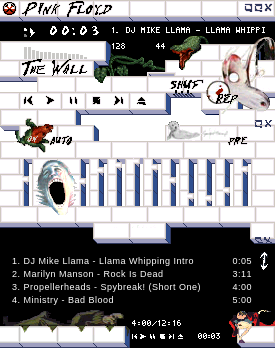
The Wall
Windows
Skin: The Wall
Creator: jjpotter
Many thanks to: *db* and the people in the skin love forum
The font I specified for this skin is a freeware font called Floydian, and it is included in this skin file
Installing the font is simple -
1. Unzip this skin file
2. Find the TrueType Font file called "Floydian" (extension .ttf)
3. Move it to - C:\WINDOWS\FONTS
4. Try to contain your excitement, because you now have the Floydian Font
UPDATES:
-Support for Winamp 2.9
-Animated cursors
5 downloads
0 favorites
0 comments
No comments yet.
Sign in to leave a comment.
0 Comments