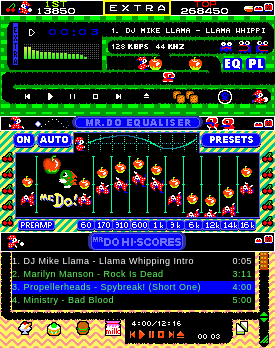
To install the Mister Do! font (dorun.fon and doscore.fon)
Windows
To install the Mister Do! font (dorun.fon and doscore.fon)
The two font files dorun.fon and doscore.fon are contained within mister.wsz.
Extract the .fon files from within the .wsz file using winzip. (the .wsz is just a .zip extention) by right clicking the misterdo.wsz file and click OPEN WITH winzip.
Simply copy the files dorun.fon and doscore.fon to your fonts directory (normally C:\windows\fonts)
To get the doscore fo
12 downloads
0 favorites
0 comments
No comments yet.
Sign in to leave a comment.
0 Comments